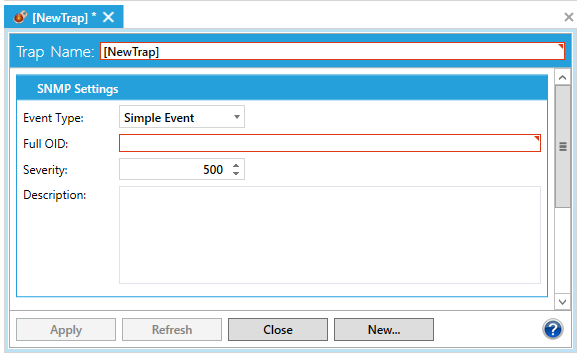
Double-clicking on a Trap (or right-clicking and selecting Edit) in the SNMP provider shows the trap properties in the right pane of the Workbench.
Trap Properties in the SNMP Provider in the Workbench
Settings include:
Trap Name: Specifies the name of the trap.
Event Type: Can be either a Simple Event or Condition Event
Full OID:
Severity:
Description: (Optional)
Click Apply to save your settings.
See Also: