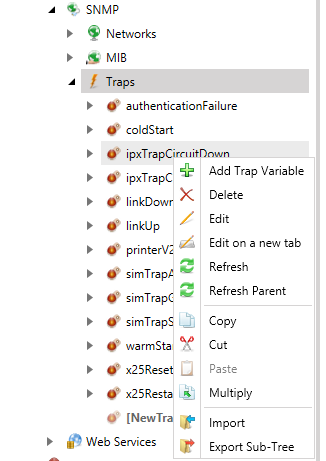
To Create a Trap Variable:
Right-click on a Trap in the SNMP provider in the Workbench and click on Trap Variable, as shown in the figure below.
Creating a New Trap Variable
-OR-
Select a Trap in the project explorer then click on the Add Trap Variable button in the Edit section of the Home Ribbon in the Workbench.
Creating a New Trap Variable

This opens the SNMP Trap Variable properties window in the right-pane of the Workbench, as shown below.
Setting the Properties for the New SNMP Trap Variable
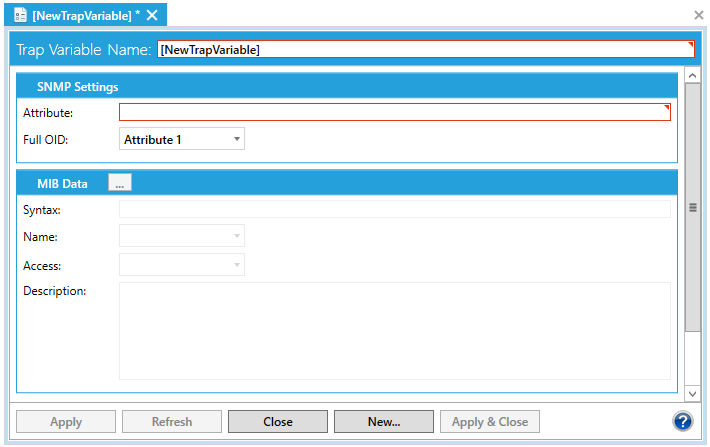
In the Trap Variable Name field, type a name for the new trap variable.
For help with the rest of the tab's properties, refer to the Trap Variable Properties topic.
When you have finished configuring the trap variable properties, click the Apply button. The new trap variable appears under the selected Trap in the SNMP provider node in the Workbench.
See also: